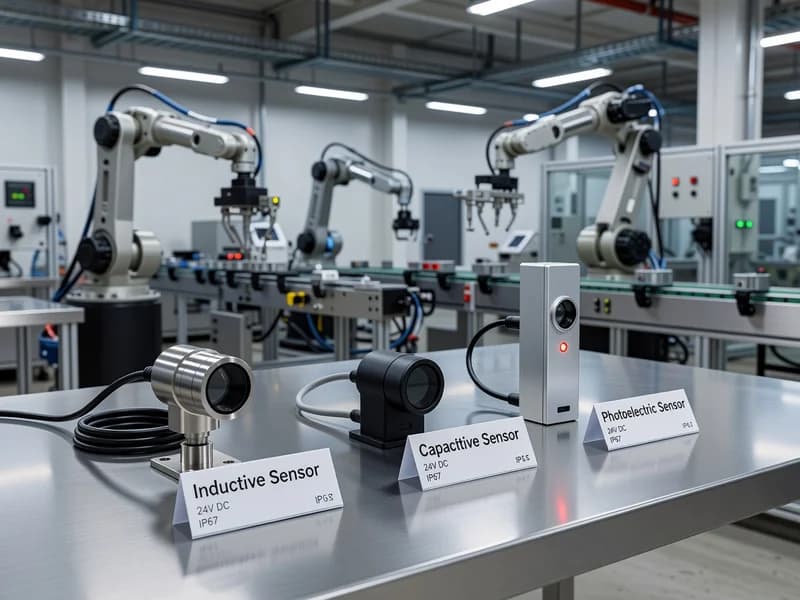
Industrial Sensor Technologies: Inductive, Capacitive, and Photoelectric
Introduction
Inductive, capacitive, and photoelectric sensors are three of the most common “workhorse” technologies in industrial automation. They underpin reliable machine control in packaging, material handling, assembly, machining, food and beverage, and process industries—often in harsh environments with vibration, washdown, oil mist, dust, and electrical noise.
This post compares these sensor types with practical selection guidance, wiring considerations, and performance specifications grounded in real-world standards such as IEC 60947-5-2 (proximity sensors), IEC 60947-5-3 (photoelectric sensors), and IEC 60529 (IP ingress protection). The goal is to help electrical engineers and technicians choose, install, and troubleshoot sensors that deliver consistent uptime.
Sensor Fundamentals and Key Specifications (What to Compare)
Before selecting a sensor, align expectations around what the datasheet really means. Across inductive, capacitive, and photoelectric sensors, these parameters matter most:
-
Sensing distance / operating range
- Proximity sensors often specify Sn (rated sensing distance) and Sa (assured operating distance) per IEC 60947-5-2.
- Photoelectric sensors typically specify a rated range (e.g., 0–10 m) that depends on target reflectivity and optical mode.
-
Output type and wiring
- Common outputs: PNP/NPN, NO/NC, complementary outputs, 2-wire AC/DC, 3-wire DC, 4-wire (separate NO and NC).
- Pay attention to voltage drop, leakage current, and short-circuit protection (common in modern sensors).
-
Response time / switching frequency
- Inductive sensors can reach high switching frequencies (kHz range for small heads).
- Photoelectric sensors can also be fast, but optical filtering may add delay in some models.
-
Environmental ratings
- IP rating per IEC 60529 (e.g., IP67, IP69K).
- Temperature range, vibration/shock, chemical resistance, and washdown compatibility.
-
EMC and noise immunity
- Industrial sensors should comply with applicable IEC 60947-5-x EMC requirements; practical installation still matters (cable routing, grounding, suppressors).
Inductive Proximity Sensors (Metal Detection You Can Trust)
How they work
Inductive proximity sensors generate an electromagnetic field at the sensing face. When a metallic target enters the field, eddy currents alter oscillator amplitude, triggering the output. This makes inductive sensors highly reliable for detecting:
- Steel, stainless steel, aluminum, brass, copper
- Machine components such as gears, cams, pallets, and fixtures
Practical selection tips
- Target material matters. Inductive sensors are most sensitive to ferrous metals. Aluminum and stainless steel generally reduce sensing distance versus mild steel.
- Shielded vs unshielded (flush vs non-flush).
- Shielded/flush: mountable in metal, shorter range, tighter field.
- Unshielded/non-flush: longer range, requires metal-free zone around the sensing face.
- Form factor. Common choices include M8/M12/M18/M30 cylindrical, rectangular, and ring sensors for specialized tasks.
Standards and terminology: Sn and Sa
Per IEC 60947-5-2, proximity sensors often specify:
- Sn: rated sensing distance (nominal value under defined conditions)
- Sa: assured operating distance—a conservative distance where detection is guaranteed considering tolerances and environmental effects
For technicians, a practical rule is: design around Sa, not Sn, especially where alignment varies.
Installation and wiring considerations
- Use manufacturer-recommended mounting clearances to avoid false triggering from nearby metal.
- Route sensor cables away from VFD motor leads and contactor wiring where possible.
- For inductive loads (solenoids, relays), add surge suppression (flyback diode for DC coils; RC snubber or MOV for AC) to protect sensor outputs and reduce EMI.
- Verify PLC input compatibility:
- PNP sensors source current to the input (common in many IEC-style control panels).
- NPN sensors sink current (common in some legacy systems).
Best use cases
- Position feedback on cylinders and slides (when magnetic switches aren’t suitable)
- Gear tooth / speed detection
- Metal part presence on conveyors
- Harsh environments with dust, oil, and vibration
Capacitive Proximity Sensors (Detecting Non-Metals, Levels, and Bulk Materials)
How they work
Capacitive sensors detect changes in capacitance caused by a target entering an electric field. Because capacitance changes with dielectric constant, these sensors can detect many non-metallic materials such as:
- Plastics, glass, wood, paper, ceramics
- Powders, granules, pellets
- Liquids (including through non-metal container walls in certain setups)
Practical selection tips
- Sensitivity adjustment is critical. Many capacitive sensors provide a potentiometer or teach function. Improper sensitivity settings are a common cause of nuisance trips.
- Consider humidity, buildup, and contamination. Water films, product residue, or dust can change capacitance and cause false detection.
- Wall-thickness and container material. For level detection through a container, evaluate:
- Container material (plastic vs glass)
- Wall thickness
- Liquid dielectric constant (water vs oil behaves very differently)
Application patterns that work well
- Level detection in hoppers (bulk solids)
- Presence detection of plastic parts where inductive sensors won’t work
- Bottle/cap verification when optical sensing is difficult due to transparency or reflections (with proper setup)
Installation and wiring considerations
- Keep a stable mounting arrangement—capacitive sensors are more sensitive to mechanical movement and environmental drift.
- In areas with frequent washdown, select sensors with robust sealing (often IP67 or IP69K, depending on the environment) and compatible housing materials.
- Teach or calibrate the sensor under real process conditions (product present, typical temperature/humidity).
When not to use capacitive sensors
- Highly variable products or environments without stable calibration opportunities
- Locations with heavy buildup unless there is a cleaning strategy or a sensor designed for such conditions
Photoelectric Sensors (Versatile Detection for Any Target—With Proper Optics)
How they work
Photoelectric sensors use a light emitter (often red, infrared, or laser) and a receiver. Detection is based on interruption, reflection, or return of the beam. This family is standardized under IEC 60947-5-3, which defines performance and testing concepts for photoelectric devices.
Common modes and where they fit
-
Through-beam (opposed)
- Emitter and receiver face each other
- Highest range and strongest immunity to target reflectivity changes
- Ideal for: long conveyors, high-speed counting, dusty environments (when properly aligned)
-
Retro-reflective
- Sensor and receiver in one housing, uses a reflector
- Good for: packaging lines, pallet detection
- Use polarized retro-reflective for shiny targets to reduce false triggering from specular reflections
-
Diffuse reflective
- Sensor detects light reflected from the target itself
- Simplest wiring and installation; range depends on target color/finish
- Variants include background suppression and BGS to detect targets at a set distance while ignoring background surfaces
Practical selection tips
- Transparent object detection (clear bottles, film) usually needs specialized optics:
- Retro-reflective with polarization or dedicated clear-object photoeyes
- Shiny metal targets can cause false returns; consider:
- Through-beam mode, or
- Diffuse with background suppression, or
- Adjusting sensor angle to avoid specular reflection
- Ambient light immunity: choose sensors with modulated light and appropriate filtering; still avoid direct sunlight into the receiver.
Installation and wiring considerations
- Alignment is everything, especially with through-beam.
- Keep lenses clean; implement maintenance checks in dusty or oily areas.
- Confirm response time matches the line speed and object spacing (missed counts are often timing, not wiring).
- If using long cable runs, check voltage drop and ensure the PLC input threshold is met.
Best use cases
- High-speed counting and registration marks
- Detecting non-metallic objects where proximity sensors struggle
- Long-range presence detection
- Applications needing small-spot detection (laser models)
Quick Selection Guide (Rules of Thumb)
Use these practical “first pass” guidelines before diving into part numbers:
- Choose inductive when:
- The target is metal and you want maximum robustness
- You need high repeatability and minimal tuning
- Choose capacitive when:
- You need to detect non-metals, levels, powders, or liquids
- You can control environmental variation and calibrate properly
- Choose photoelectric when:
- You need longer range, fast counting, or object detection regardless of material
- You can manage alignment and optical cleanliness
Also consider the panel and system context:
- Standardize on PNP or NPN outputs across machines to reduce troubleshooting time.
- Ensure sensor IP rating and chemical compatibility match the environment (washdown, coolants, oils).
- Verify that sensors meet relevant device standards (IEC 60947-5-2 / IEC 60947-5-3) and that the overall machine design supports safety requirements (for safety functions, use dedicated safety devices and follow ISO 13849-1 or IEC 62061 as applicable).
Conclusion
Inductive, capacitive, and photoelectric sensors each solve a different “detection problem” in industrial automation. Inductive sensors excel at rugged metal detection with minimal tuning. Capacitive sensors extend detection to non-metals and level applications but demand more attention to setup and environmental stability. Photoelectric sensors offer the greatest versatility and range—provided optics, alignment, and target properties are handled correctly.
When selecting sensors, compare standardized performance specifications (notably IEC 60947-5-2 and IEC 60947-5-3 terminology), design around assured operating distances and real installation constraints, and match environmental ratings to the plant floor. Done well, sensor standardization and correct application can significantly reduce downtime, simplify troubleshooting, and improve overall equipment effectiveness.